 StoreSathi
 Everything your shop needs
One app for the counter, the stock, the khata and the GST, on your PC and phone. Every plan has every feature.
Easy to learn
- Learn it in7–10 days
- WorksWithout internet
- Languages13
- Every planEvery feature
Billing at the counter
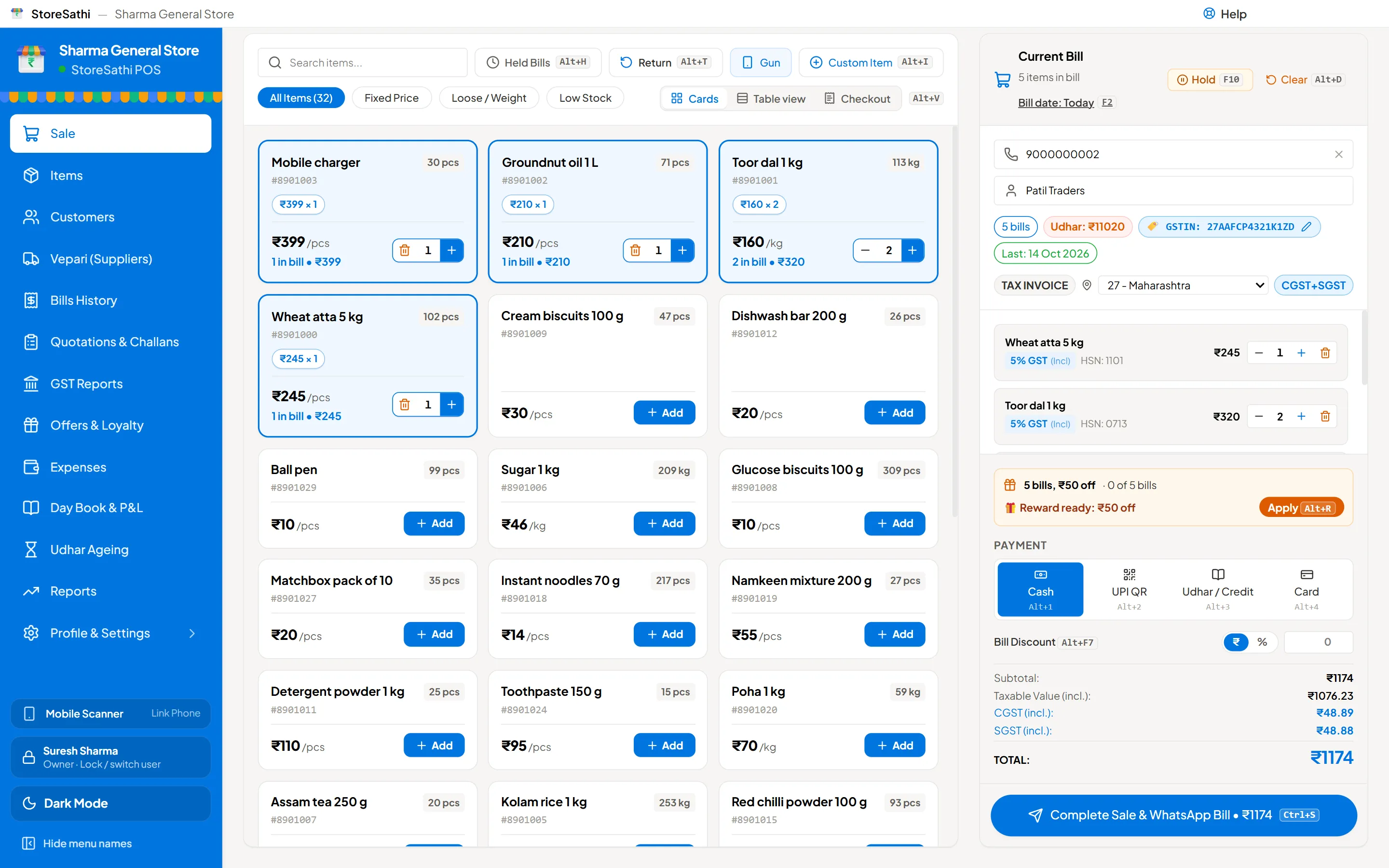
A bill in seconds, from the keyboard or a barcode gun.
- Tally-style keys
- F8 sale, F9 purchase, F5 payment, F6 receipt; nearly 100 shortcuts, F1 for help, Alt+G to go anywhere.
- Barcode and loose items
- Scan with a USB gun, sell weighed and loose goods, add a custom item, hold a bill and come back.
- Discounts and payments
- Line or bill discount. Cash, UPI, card, udhar, store credit or exchange credit.
- B2B in one key
- Alt+B adds the buyer’s GSTIN; CGST and SGST, or IGST from the place of supply.
- Quotation to bill
- Quotation, proforma, delivery challan, then the bill. One bill can cover many challans.
- Returns and notes
- Sales returns and exchange with restock; credit and debit notes against a bill.
Printing and sharing
Print on what you have, or send it on WhatsApp.
- Thermal and A4
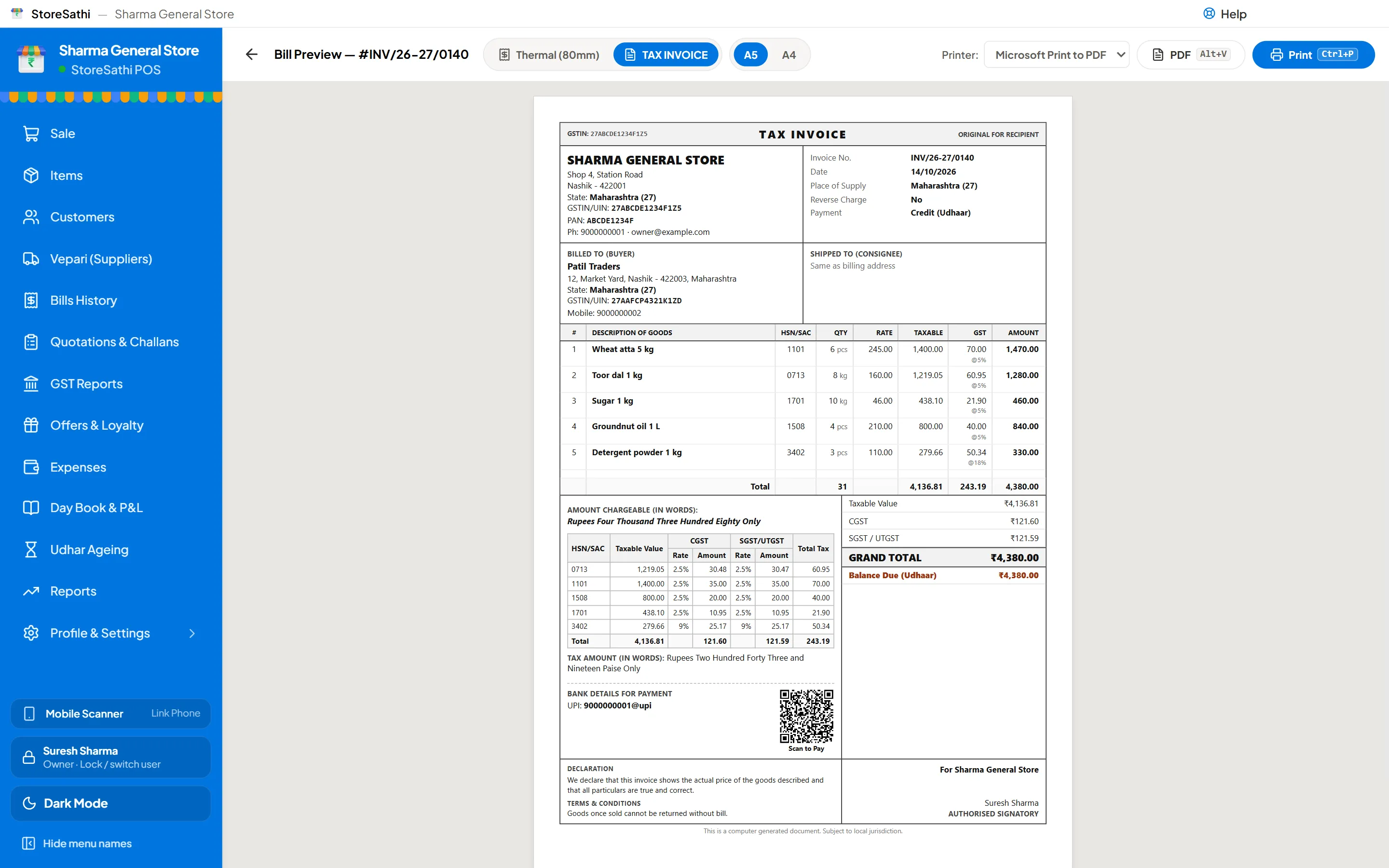
- 58 or 80 mm thermal with silent printing, A4 and A5, or PDF.
- Bill designs
- 7 GST invoice designs and 4 shop-bill designs, with your logo and colour.
- UPI on the bill
- A scan-to-pay QR and your bank details on the invoice.
- The bill as a message, or the PDF itself with WhatsApp automation.
- Barcode labels
- A4 sheets of 40, or label rolls: 50×25, 50×38, 38×25 and 100×50 mm.
Stock and buying
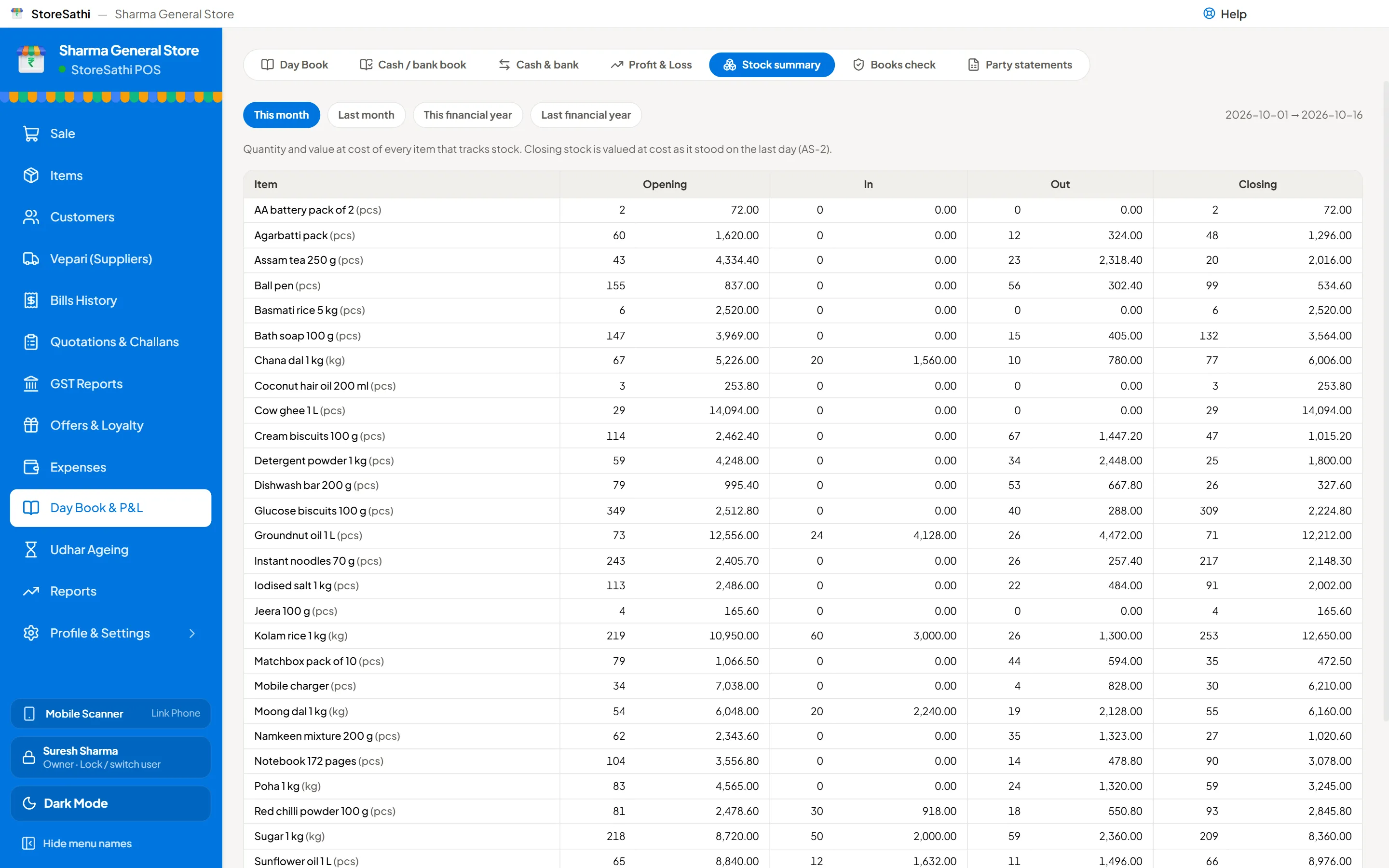
Know what is on the shelf and what it cost.
- Items
- HSN, GST rate, cess, units, tax-inclusive or not, minimum-stock alerts.
- True cost
- Weighted average cost; freight and packing spread into the item cost.
- Goods now, bill later
- Goods received (GRN) billed in parts, or sent back to the vepari.
- Stock journal
- Damage, theft, own use and goods you make from other goods.
- Bulk import
- Items, customers and vepari from Excel, checked row by row.
Purchase bills from PDF
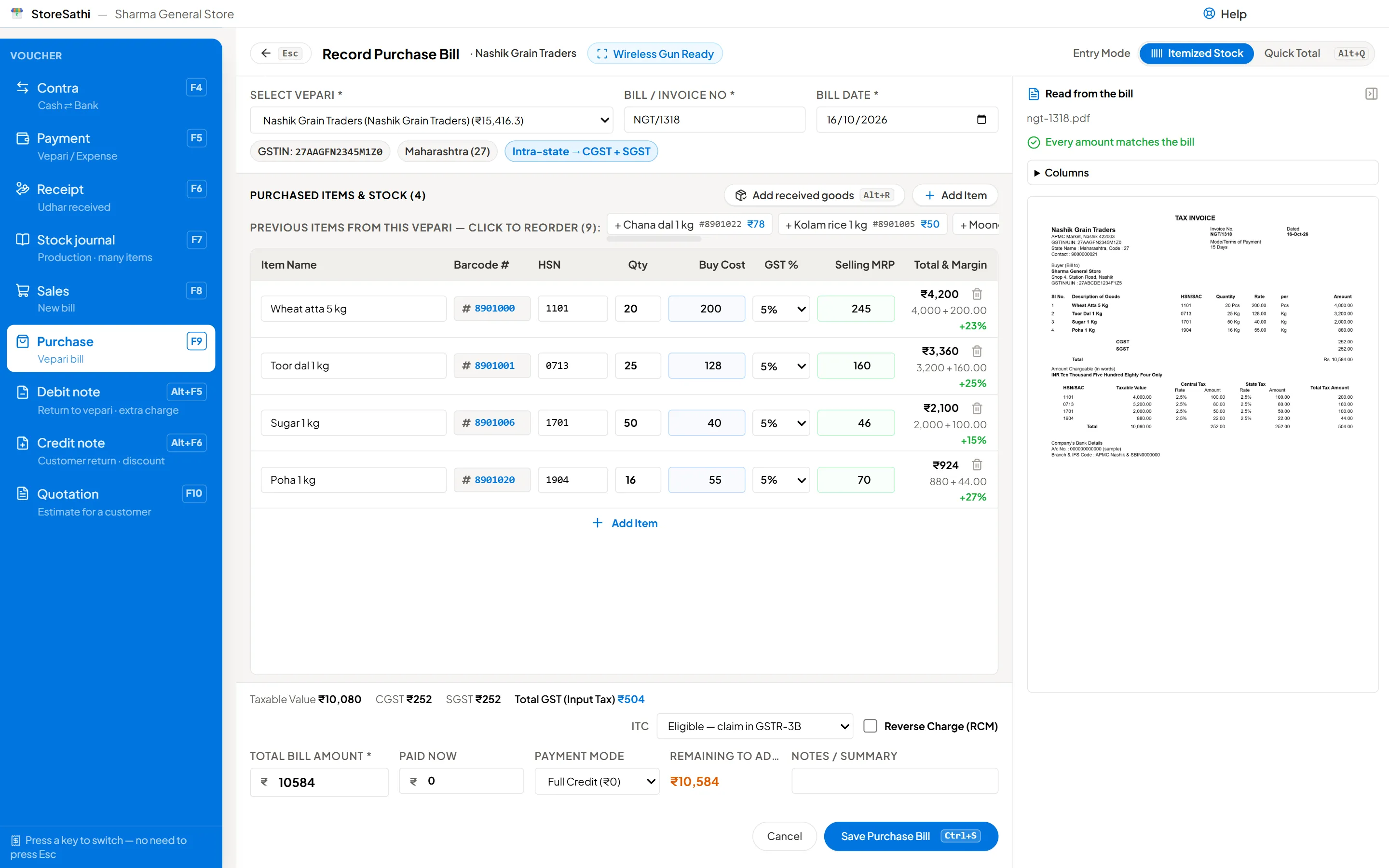
Choose the vepari’s bill file and the purchase fills itself in.
- Reads PDF and Excel bills
- Bills made in Tally, Vyapar, Busy, Marg or myBillBook, even across several pages.
- Matches your items
- Each line is matched to your item; names are remembered for that vepari next time.
- Checks before saving
- Totals and tax must add up, and the vepari’s GSTIN must be valid.
- E-invoice QR
- When the bill has a GST e-invoice QR, the bill must agree with it.
- Never twice
- The same bill, or the same file, cannot be entered twice.
- Cost watch
- Each item’s cost is compared with what you paid last time.
Udhar khata and vepari
Who owes you, and whom you owe.
- Customer khata
- Every bill and payment with the running balance; opening udhar or advance.
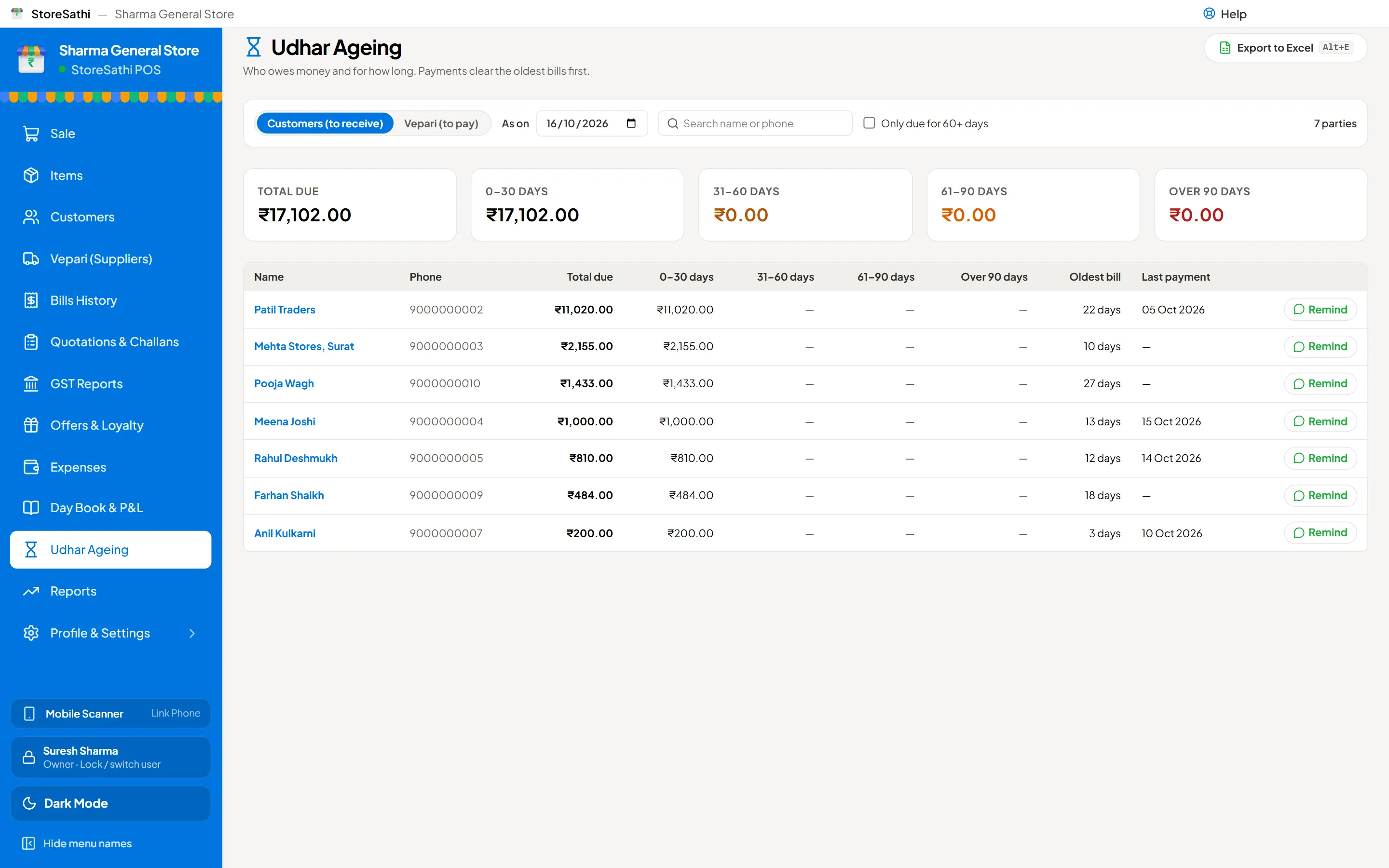
- Ageing
- Who owes how much and for how long, with a WhatsApp reminder on each line.
- Statements
- Party statements for any period, as PDF or on WhatsApp.
- Vepari bill by bill
- What is left on each purchase bill; pay chosen bills or the oldest first.
Offers and marketing
Bring customers back without a printed card.
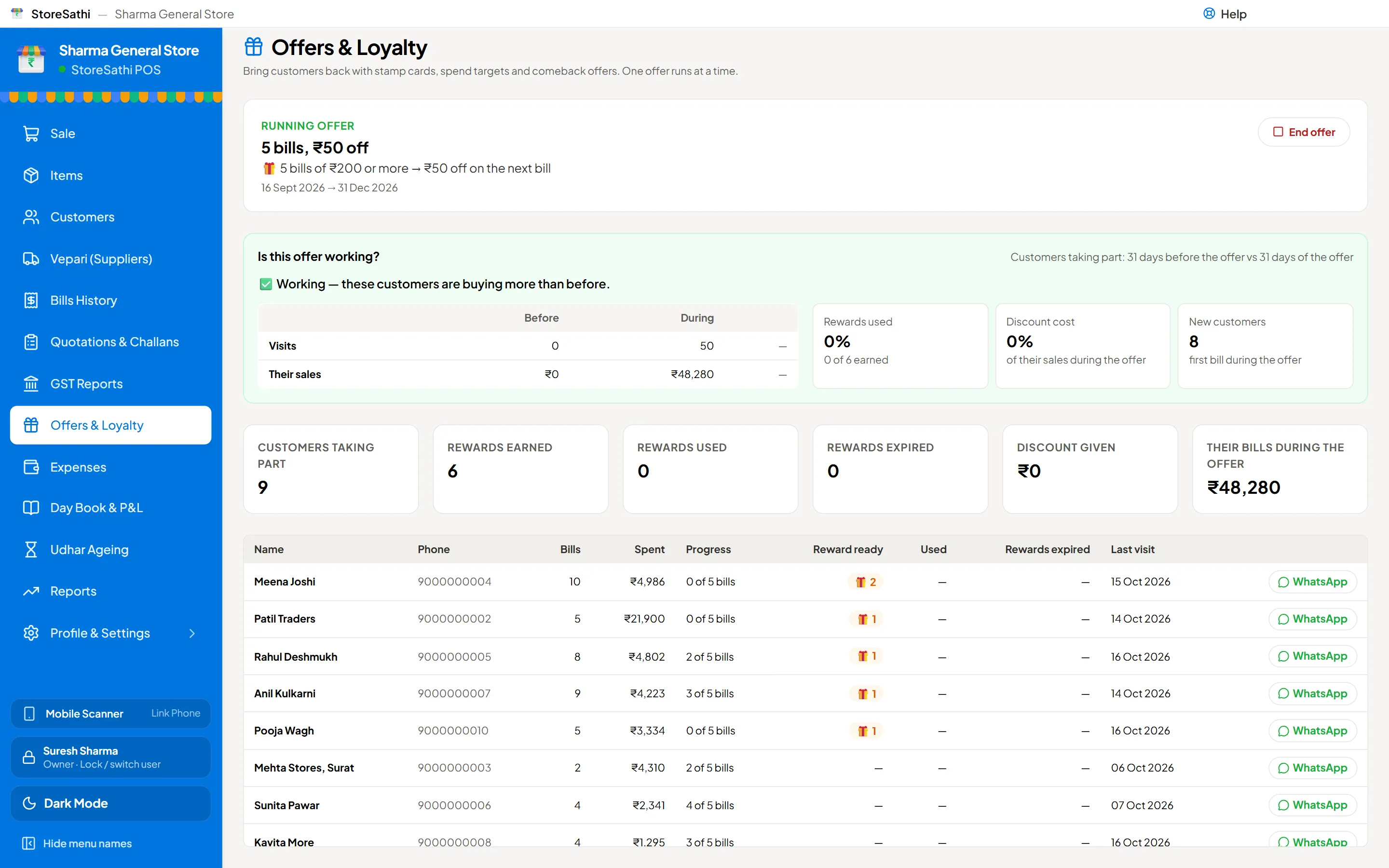
- Stamp card
- A reward every few bills, with a minimum bill if you want one.
- Spend target
- A reward when a customer spends a set amount, in the offer or each month.
- Win back
- An offer for customers who have not come for some days.
- Your rules
- Reward in % or ₹, a cap, minimum bill, validity and a limit per customer.
- Results
- Sales before and during the offer, each customer’s progress, rewards ready.
- Messages
- Your own marketing and reminder templates on WhatsApp, in several languages.
GST
Returns ready for the portal, or for your CA.
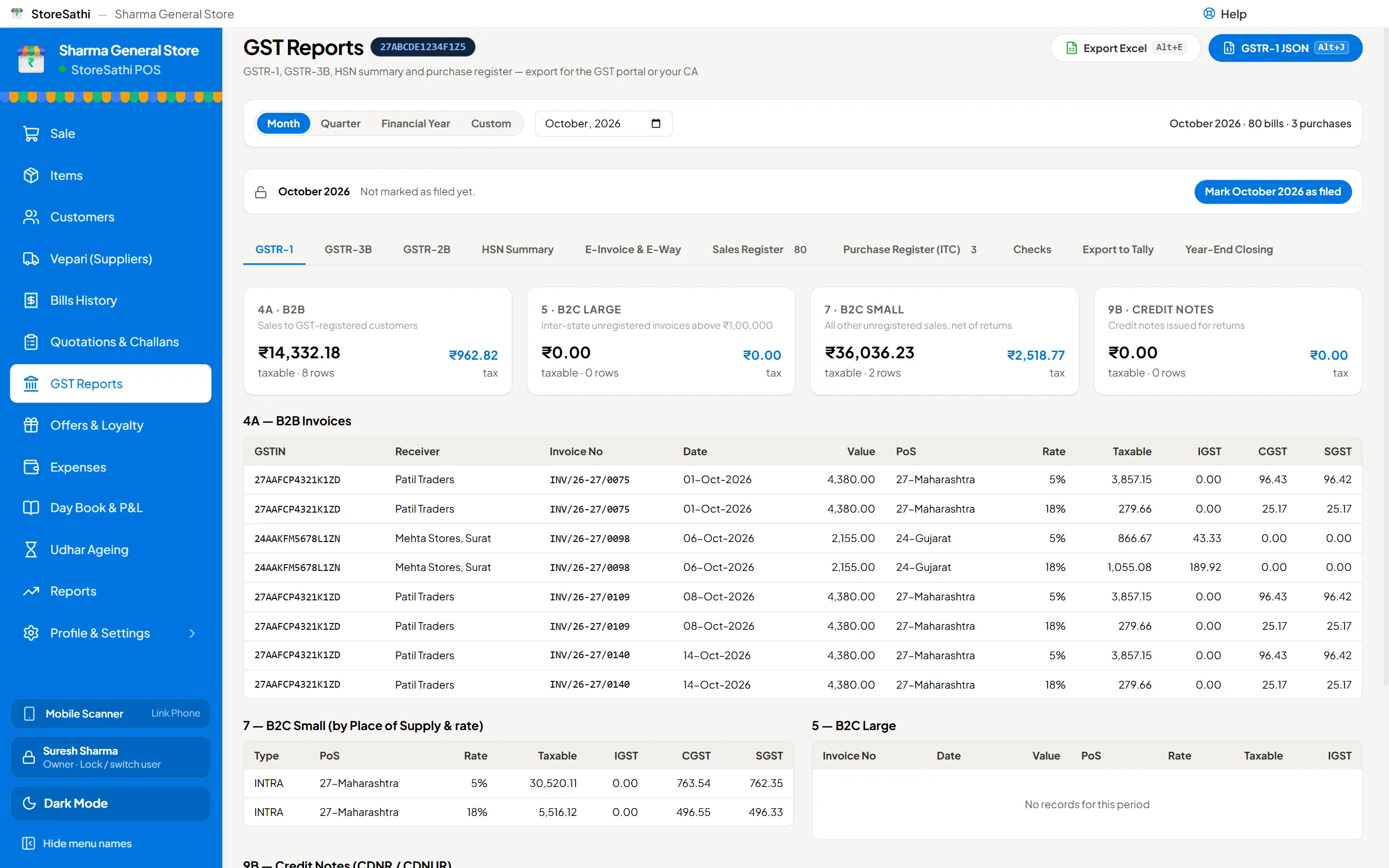
- GSTR-1 and GSTR-3B
- Portal JSON and Excel, with the HSN summary and sales and purchase registers.
- GSTR-2B matching
- Import the 2B file and see which purchases match.
- E-invoice and e-way bill
- JSON files ready to upload; the IRN and QR print on the bill.
- Every scheme
- Regular, composition or unregistered: tax invoice, bill of supply or invoice as needed.
- Period lock
- Lock a filed month so nobody changes it by mistake.
Accounts and reports
Close the day, and the year, without a calculator.
- Day book and day close
- Counted cash against expected, and the difference.
- Cash and bank book
- Every movement with the running balance; contra between cash and bank.
- Profit and loss
- By item, category and month, in Excel too. Expenses with input credit.
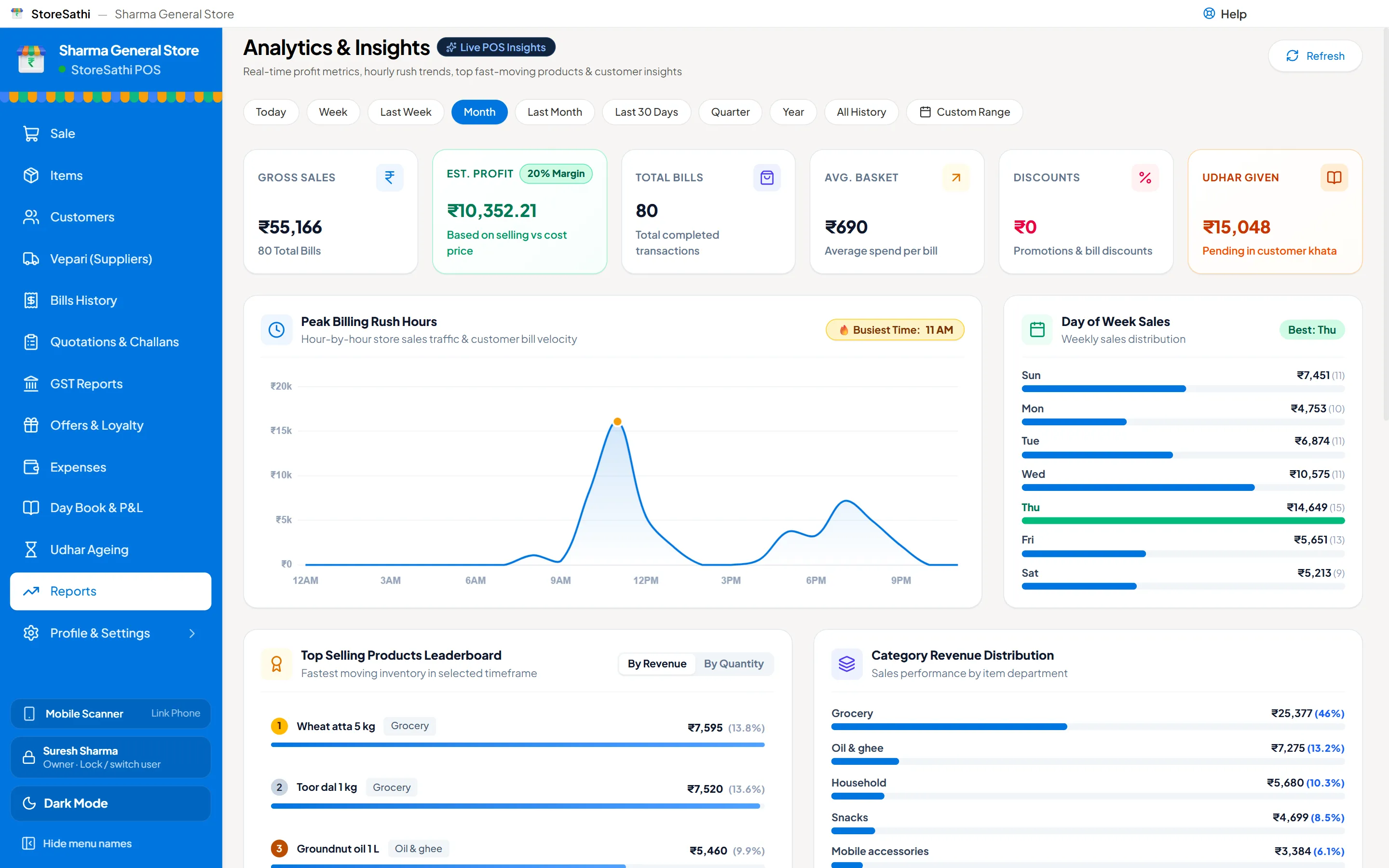
- Analytics
- Sales, profit, average bill, rush hours, top items, top customers.
- Books check
- Finds mistakes in bills, stock, khata and GST before your CA does.
- Year end
- Close and reopen the year, with a checklist of what is still open.
Your team
Everyone logs in with a PIN and sees only their part.
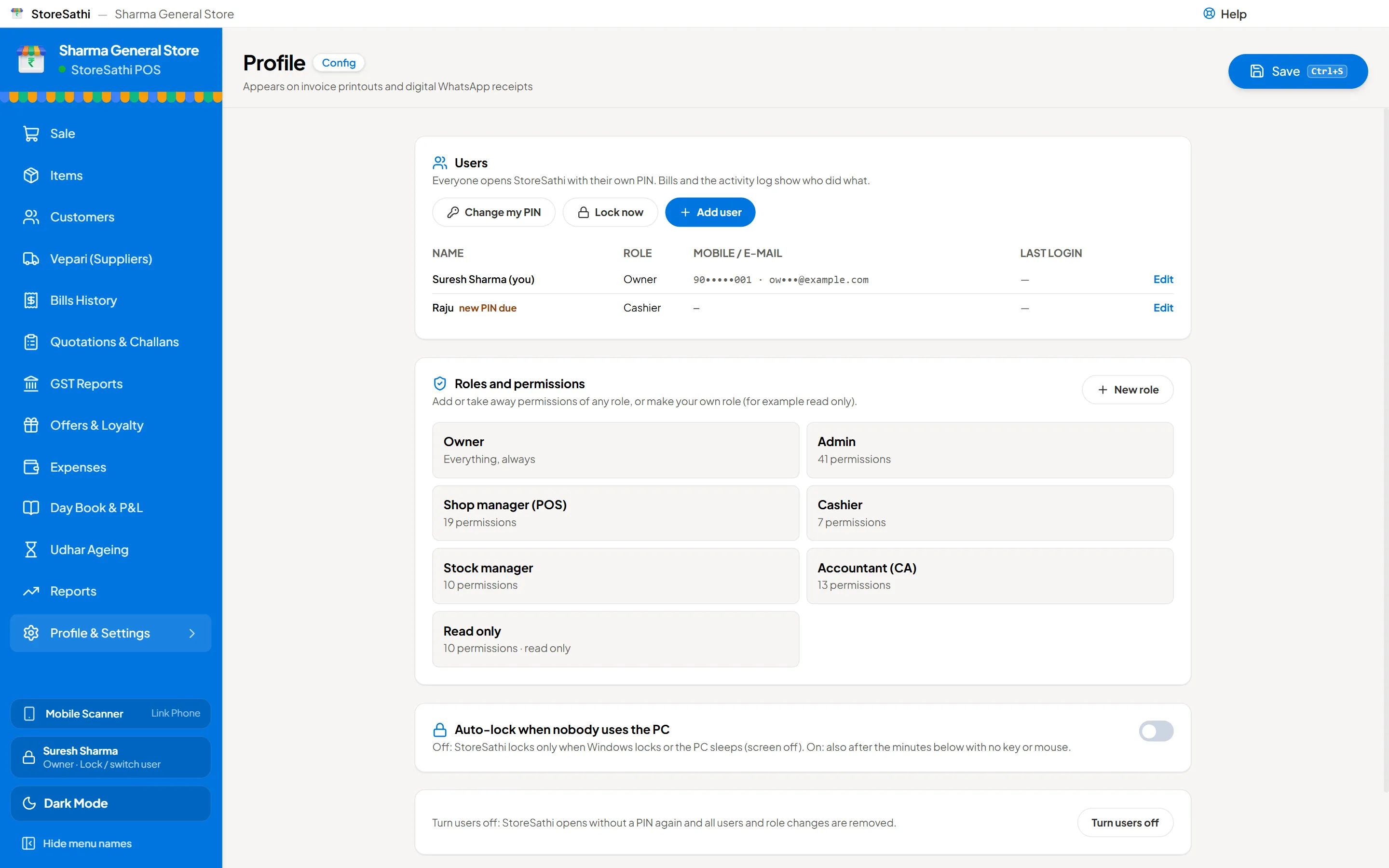
- Roles
- Owner, Admin, Shop manager, Cashier, Stock manager, Accountant, Read only, or your own.
- PIN login
- Locks when idle or when Windows locks; switch user from the sidebar.
- Approvals
- A manager types a PIN to allow one refused action.
- Hidden numbers
- Cost and profit hidden from staff who should not see them.
- Activity log
- Every bill shows who made it, and every change is logged.
Phone and PC together
Your phone joins the counter over the shop Wi-Fi.
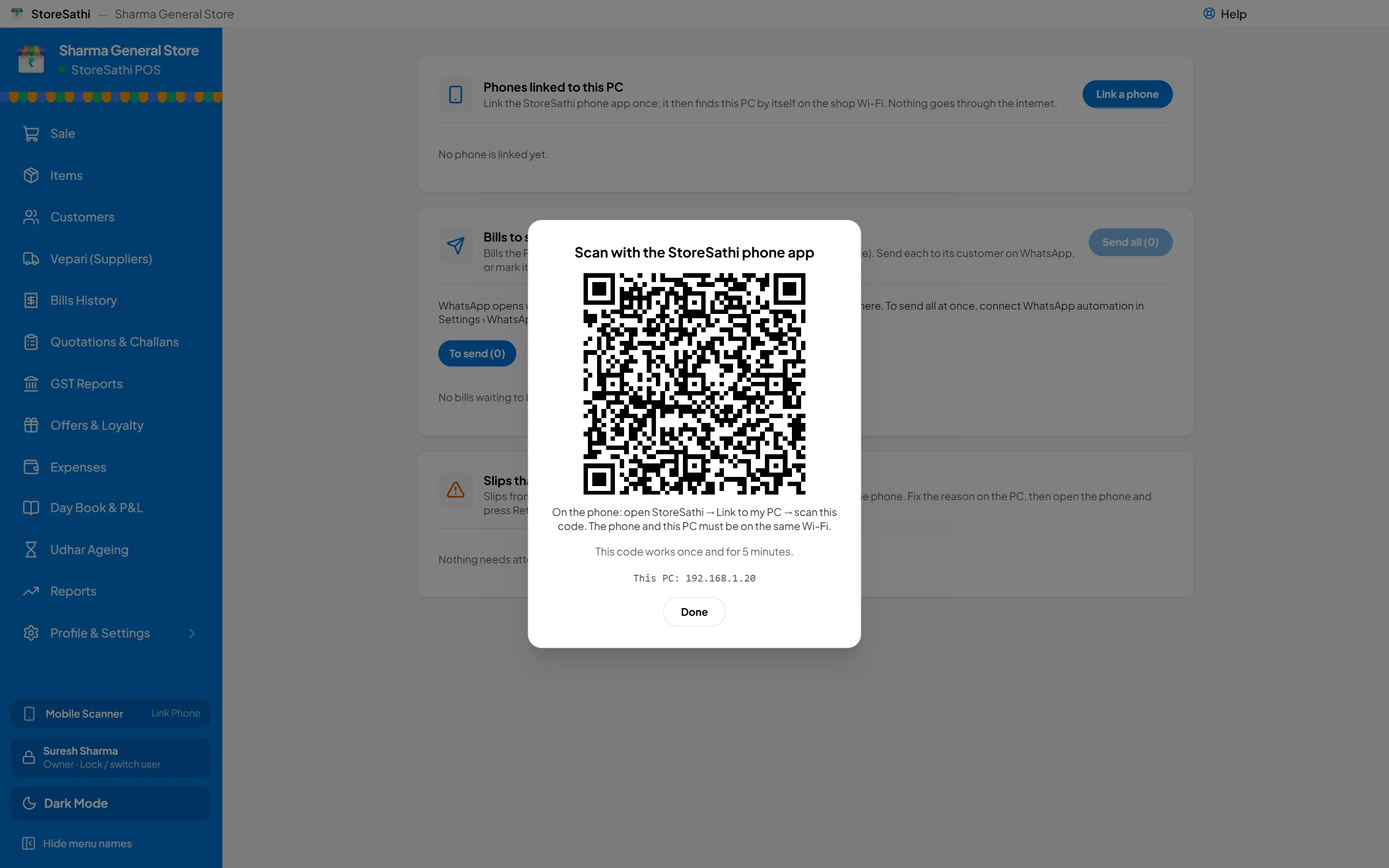
- Pair once
- Scan a QR on the PC. Encrypted, no internet, no cloud.
- Live stock on the phone
- The phone sees the PC’s items and prices a second after they change.
- Bills saved on the PC
- With the PC’s numbers and the staff member’s role. A bill sent twice is saved once.
- Power cut
- The phone makes slips; they become GST bills when the PC is back.
- Move a shop
- From phone to PC, or PC to phone, with a safety backup first.
Backup and safety
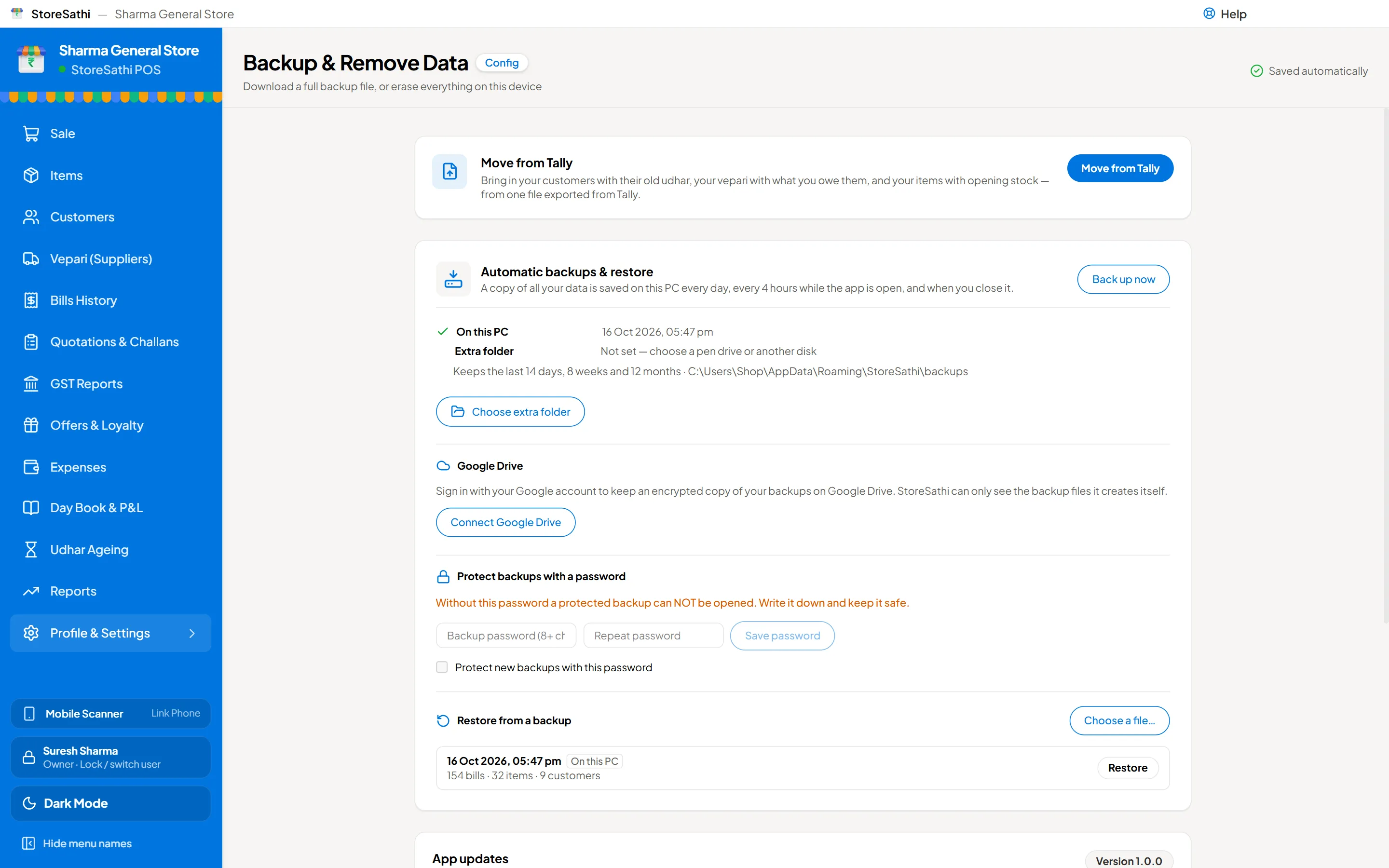
Your data stays with you, and stays safe.
- Works offline
- Bills, items and customers stay on your PC and phone, not on our server.
- Automatic backups
- When you open, every four hours and when you close; daily, weekly and monthly copies kept.
- Google Drive
- Your own Drive, always encrypted; queued until you are online.
- Restore
- Preview a backup before restoring; a safety backup is made first.
- Updates
- Automatic, never in the middle of a bill, always after a backup.
Moving from Tally
Bring your books in from one file, and send them back for your CA.
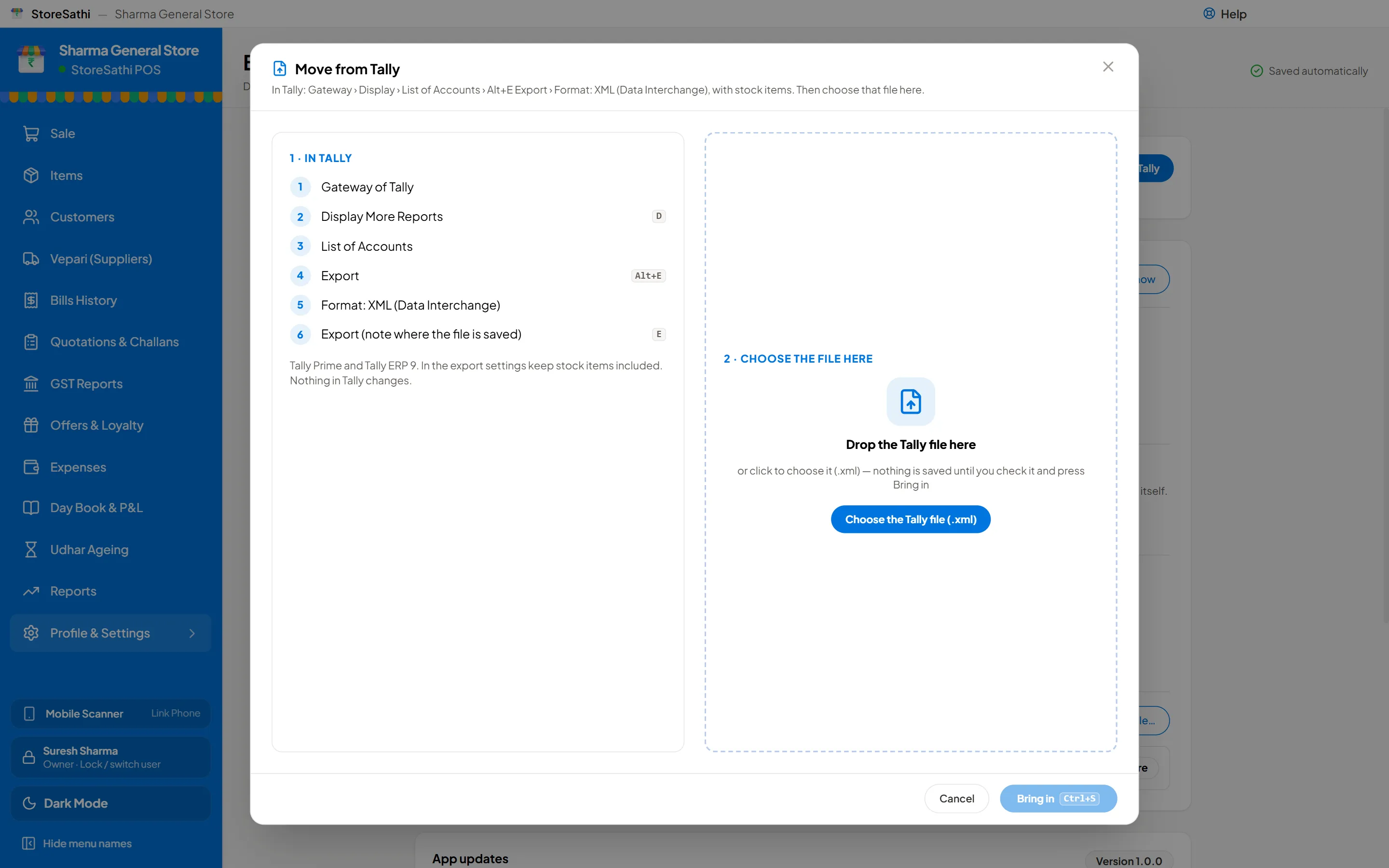
- Move from Tally
- Customers with udhar, vepari with balances, items with opening stock.
- Check before saving
- Totals from the file shown beside what comes in; undo while unused.
- Export to Tally
- Ledgers and vouchers for Tally Prime or ERP 9.
Languages and setup
In your language, ready in a few minutes.
- 13 languages
- English, Hindi, Hinglish, Gujarati, Marathi, Tamil, Telugu, Kannada, Bengali, Punjabi, Malayalam, Odia, Assamese.
- Setup in six steps
- Language, shop, GST and address, bill and printing, payment, ready.
- Light and dark
- Easy on the eyes at night.
- Big shops
- Tested with over 5 lakh bills, about 10 years at 150 bills a day.
Try every feature
See StoreSathi for your kind of shop
30 days free on your PC and phone. No card needed.