StoreSathi
EN
Download
StoreSathi
EN
Download

Move from Tally in one file

Bring your customers, vepari and stock across, keep your F-keys, and keep your CA on Tally.

Switch without worry

  • Works withPrime and ERP 9
  • Before savingTotals checked
  • Changed your mind?Undo
  • Old billsStay in Tally

How to move

  1. In Tally, go to Gateway › Display › List of Accounts, press Alt+E to export, and choose XML (Data Interchange) with stock items shown. Works with Tally Prime and ERP 9.
  2. In StoreSathi, open Settings › Data › Move from Tally (or the last step of setup) and choose the file.
  3. Pick the date your balances are as on, usually 31 March.
  4. Check the totals: what customers owe, what you owe vepari and your stock value, from the file beside what is coming in. Match them with Tally.
  5. Untick anything you don’t want, add missing mobile numbers, and save. Changed your mind? Undo the import while nothing from it is used yet.
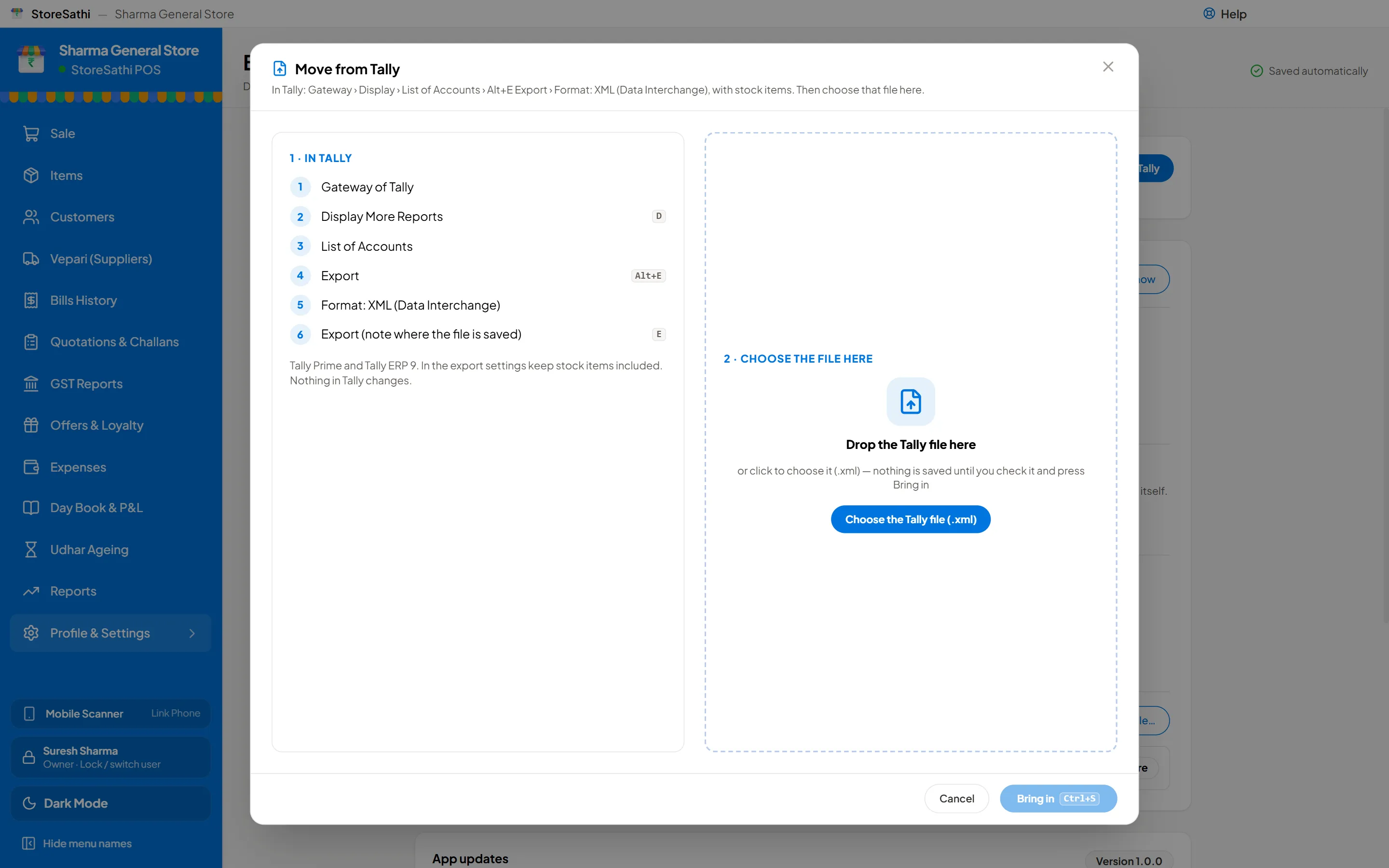
StoreSathi: Move from Tally

What comes across

Customers, with their udhar or advanceVepari, with what you owe themItems, with unit, HSN, GST rate and opening stockGSTIN, address and mobile, where Tally has them

What stays in Tally

Old bills and old GST returns, as with any change of software. StoreSathi starts from your opening balances on the day you switch.

Your keys still work

KeyIn StoreSathi and Tally
F4Contra
F5Payment
F6Receipt
F7Journal
F8Sales
F9Purchase
Alt+GGo to
F12Configure
EscBack

A few keys do something else, so nothing clashes:

KeyIn StoreSathiIn Tally
Alt+F6 / Alt+F5Credit / debit noteRejection Out / Sales Order
Ctrl+F8 / Ctrl+F9Sales return / return to vepariCredit / debit note
F10QuotationOther vouchers
F11SettingsCompany features
Alt+F7Discount on the billStock journal
Ctrl+EnterSaveAlter a master

Your CA can stay on Tally

StoreSathi exports ledgers and vouchers as a Tally XML file for Tally Prime or ERP 9. Your CA imports it and works as before.

Two things your CA enters once in Tally: the starting cash and bank balances, and goods received that are not billed yet (StoreSathi lists them).

Switch this week

30 days free. Bring your Tally file and start billing the same day.

Download free