 StoreSathi
 Free invoice maker or billing software: when to switch
A free online invoice maker is fine for a few bills. Here is what it cannot do for a shop, the signs you have outgrown it, and what billing software adds.
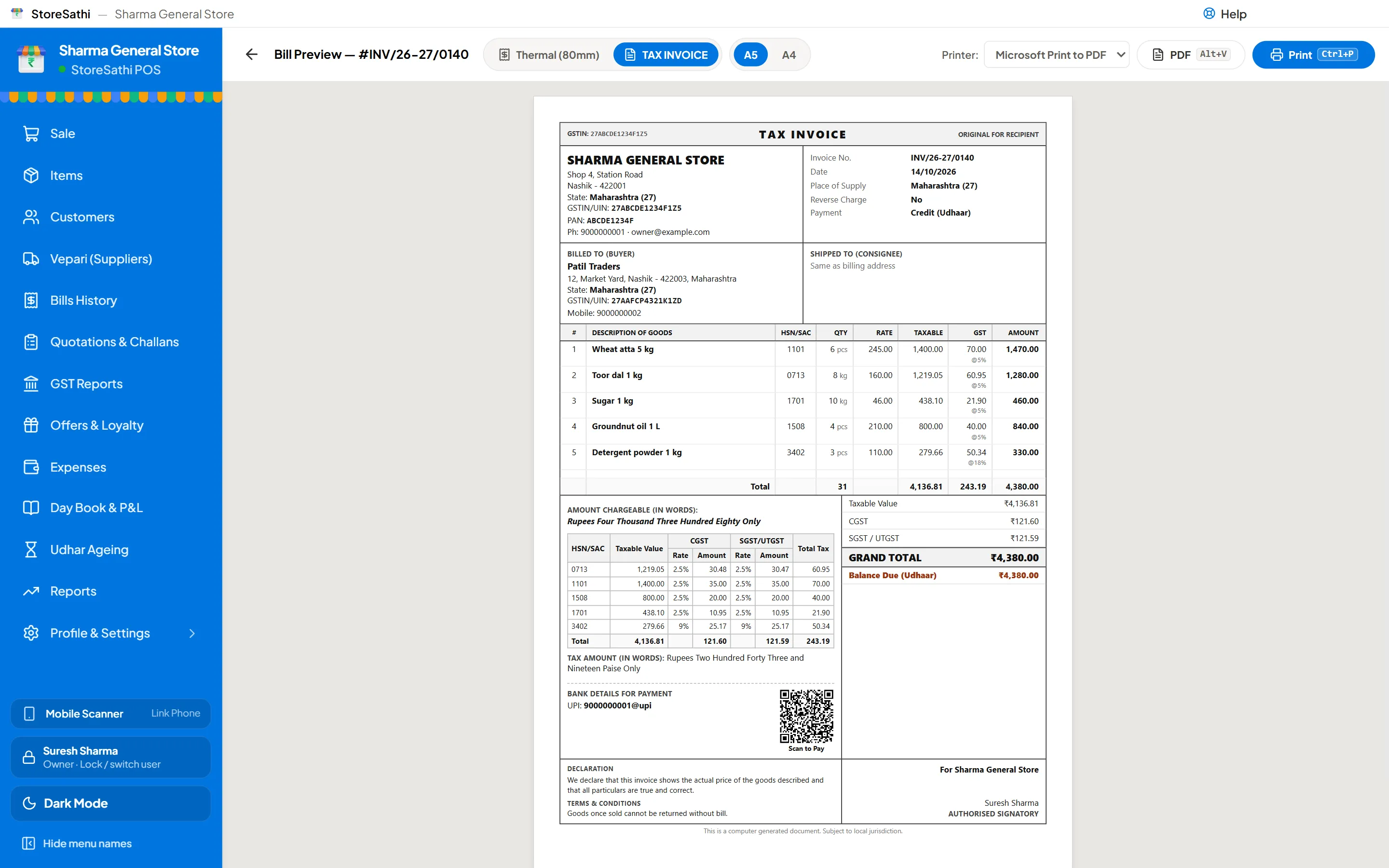
A free invoice maker turns a form into a neat PDF, and for a handful of bills that is all you need. But it does not remember anything: not the bill number you used yesterday, not the stock you just sold, not the ₹2,000 a customer still owes. When you start billing every day, the work an invoice maker leaves to you (numbering, adding up, stock, khata, GST returns) is exactly what billing software does by itself.
Here is how to tell which one your shop needs today.
What does a free invoice maker do well?
- One good-looking bill, fast. Fill in the shop, the buyer and the items, and print or save a PDF.
- No install, no learning. It works in a browser.
- Fine for occasional bills: a few B2B invoices a month, a one-off sale, a sample for a new customer.
The free GST invoice generator on this site does all of that, with CGST and SGST or IGST worked out from the states, an HSN summary and a UPI QR. It runs in your browser and sends nothing anywhere.
What should a good free invoice maker have?
If a free tool is enough for now, choose one that gets the basics right:
- CGST and SGST, or IGST, chosen from your state and the buyer’s state, not typed by hand.
- HSN code on each line, and a summary by HSN at the bottom.
- Amount in words and a clear grand total.
- No watermark and no sign-up for a simple bill.
- Your details stay with you. Check whether what you type is sent to a server; some tools keep it.
- A PDF that prints cleanly on A4, without the website’s menus around it.
Whatever tool you use, the GST rate and HSN code of each item are your responsibility; check them with your CA.
What can an invoice maker not do?
| Task | Invoice maker | Billing software |
|---|---|---|
| Make and print one bill | Yes | Yes |
| Keep every bill, searchable later | No | Yes |
| Number bills in order, every year | You track it | Yes |
| Reduce stock as you sell | No | Yes |
| Udhar khata and reminders | No | Yes |
| Bill in seconds with a barcode scanner | No | Yes |
| Day totals, cash and UPI | You add up | Yes |
| GST return files for your CA | You collect the bills | Yes |
| Work without internet | Often not | StoreSathi, yes |
The difference is not the look of the bill. It is everything that happens after the bill.
Signs you have outgrown it
You probably need billing software if:
- You bill every day, and filling a form for each customer slows the counter.
- You search old PDFs to find what a customer bought, or what rate you gave them.
- You keep a separate notebook for udhar, or for stock.
- Your bill numbers have gaps or repeats, because you track them by hand.
- Your CA asks for all the month’s bills, and you send a folder of PDFs.
- Staff make bills, and you want to know who made which one, and stop them seeing your cost price.
Two or more of these, and the time you save in a week is worth more than the software costs.
What does billing software add?
With StoreSathi, for example:
- Fast billing from the keyboard or a barcode scanner, with Tally-style keys: F8 for a sale.
- Every bill kept and numbered, and found again in seconds.
- Stock that updates as you sell and buy, including purchases read from the vepari’s PDF bill. See stop typing vepari bills.
- Udhar khata with ageing and WhatsApp reminders. See how to manage udhar khata.
- GST return files (GSTR-1 and GSTR-3B) for your CA to check, and e-invoice and e-way bill JSON when a sale needs them.
- A day close that tells you whether the drawer matches the bills. See how to close the day.
- Works without internet, with your data on your own PC and phone. See why billing should work offline.
Will I lose the invoice design I like?
No. The free invoice generator uses the same seven designs as the StoreSathi app, with your logo and colour in the app. Whatever you printed with the generator, StoreSathi prints the same way, and adds thermal slips for the counter. See the bill formats for a real GST invoice, quotation, challan and credit note.
What about price?
A free invoice maker is free. StoreSathi is free for 30 days with every feature, then ₹300 a month, ₹3,000 a year, or a one-time licence, plus 18% GST. One licence covers the shop’s PC and phone. The pricing page has a five-year comparison.
If you only make a few bills a month and do not keep stock, stay with the free tool. There is no reason to pay for what you do not need.
How do I switch without a mess?
- Pick a start date, such as the first of a month.
- Add your items with their prices, GST rates and HSN codes, or bring them in from Tally. See how to move from Tally.
- Add customers who owe you, with their balances as on the start date.
- Check your shop details and bill design in settings, and print a test bill.
- Bill on both for a day if it helps you trust the new totals, then stop using the old way.
In short
- An invoice maker makes a bill; billing software keeps the shop’s books.
- Billing every day, keeping stock or giving udhar? It is time to switch.
- StoreSathi keeps the invoice designs you know and is free for 30 days.
Questions
Is a free invoice maker enough for a small shop? For a few bills a week to business buyers, often yes. Once you bill every day, sell from stock or give udhar, you need the bills to be kept, numbered and added up, which an invoice maker does not do.
Are free invoice makers safe for my customers' details? It depends on the tool. Some send what you type to their servers. StoreSathi's free invoice generator makes the invoice in your browser and sends nothing anywhere.
Will my invoices look different in StoreSathi? No. The free invoice generator on this site uses the same seven designs as the StoreSathi app, so you can keep the look you chose.
What does it cost to switch? StoreSathi is free for 30 days with every feature. After that it is ₹300 a month, ₹3,000 a year or a one-time licence, plus 18% GST.